
“The same kind of script is sorely needed for Defender. It uses hostname as the unique identifier for Macs so any device name change creates a new record and uses up a license. It’s bonkers.” That was Luke on LinkedIn, commenting on my Entra ID duplicate scanner. And he was absolutely right. MDE’s device inventory […]
Category: Troubleshooting

Don’t Let Personal Apple Accounts Hijack Your Domain: The Complete Guide to Apple Business Manager Domain Capture
A deep dive into domain lock, domain capture, and managed Apple accounts for IT administrators Picture this: you’re the IT administrator for a large organization, and you’ve just discovered that over 5.000 employees have created personal Apple Accounts (Apple IDs) using their work email addresses. Their vacation photos, music libraries, health data, and app purchases […]
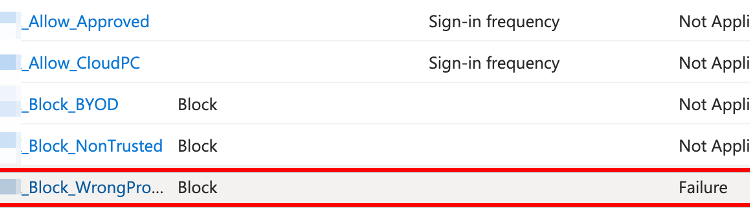
A Deep Dive into Location and Device-Based Access Control
“Because sometimes your security requirements make you question your life choices” 🤠 A Word of Warning Before We Start Conditional access policies and Device-Based Access Control are fun and all, however, let me be crystal clear before we dive into this: I do not advise excluding users from MFA. In fact, I think it’s… well, […]
Advanced macOS Protection with Microsoft Intune – Beyond the Basics
Advanced macOS Protection with Microsoft Intune: The Security Sequel You Didn’t Know You Needed!🚀 Hey there, security enthusiasts and Mac wranglers! Remember when we thought CIS Level 1 was the cool kid on the block? Well, grab your Terminal windows and hold onto your MDM profiles, because Level 2 is here to rock your config. […]
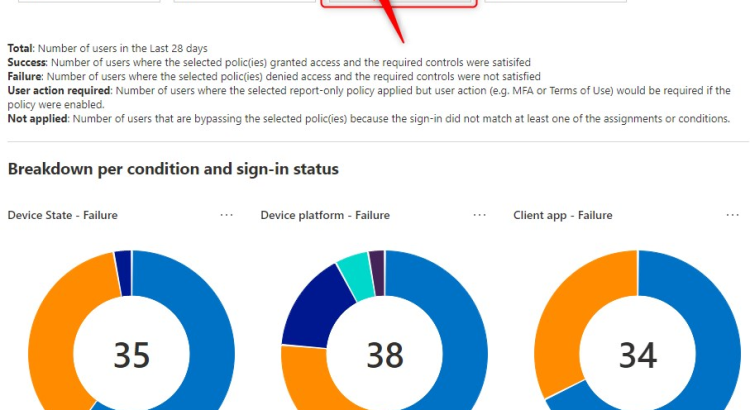
Conditional Access policies in Report-only Mode. Now what?
Conditional Access policies in Report-only Mode…Now what? Conditional access policies in Report-only mode allow you to evaluate the impact of Conditional Access policies before you enable them. For instance, you can see conditional access policies in Report-only mode in the Azure AD sign-in logs, but there’s more to it and that’s what this post is […]

OneDrive and its (Un)known Folder Move (KFM) – Part 1
Sometimes I stumble upon app behavior that intrigues me. In this case, there appeared to be a disconnect between the naming of Known Folders in OneDrive across users. Somehow, some users had English folder names, while others showed Dutch folder names. I couldn’t, for the life of me, see the logic in it. At first […]
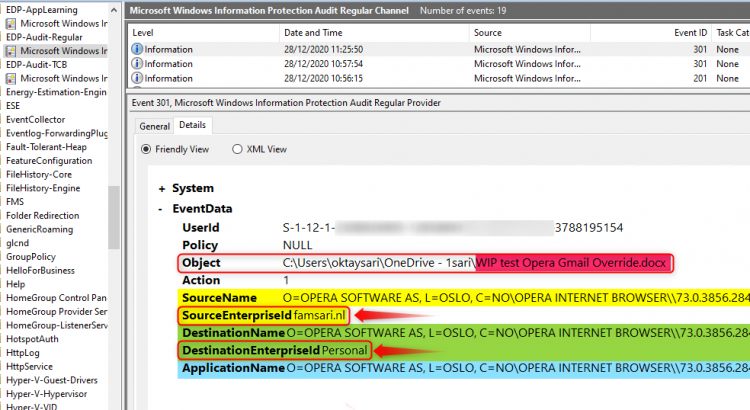
Monitoring and collecting WIP audit event logs
July 2022 IMPORTANT UPDATE: Microsoft announced the sunset for Windows Information Protection! WIP will be discontinued over time. Support for Windows Information Protection Without Enrollment will end by the end of calendar year 2022. Please read the official announcement and more on the following 2 sites: Announcing the sunset of Windows Information Protection (WIP) Support […]
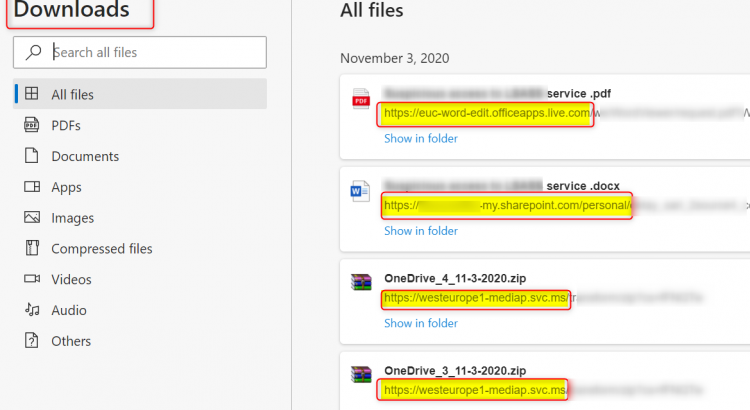
Troubleshooting Windows Information Protection on Windows 10
July 2022 IMPORTANT UPDATE: Microsoft announced the sunset for Windows Information Protection! WIP will be discontinued over time. Support for Windows Information Protection Without Enrollment will end by the end of calendar year 2022. Please read the official announcement and more on the following 2 sites: Announcing the sunset of Windows Information Protection (WIP) Support […]

Install Adobe Reader DC using Microsoft Intune Win32 application deployment
During my visit at Microsoft Ignite 2018 in Orlando, one of the most awaited features for Microsoft Intune was announced; We can finally deploy Win32 applications using Microsoft Intune. This is great news because now we don’t have to use work-arounds like PowerShell scripts. I have another post guiding you through the installation process of […]

Deploy WiFi profile with pre-shared key to Windows 10 using Microsoft Intune
In this post I will focus on deploying WiFi profiles with pre-shared keys (PSK) to Windows 10 devices using a custom device profile in Microsoft Intune. There are a few good posts about this topic already and various methods but I’ll try to consolidate all the info I found, walk you through this step by […]